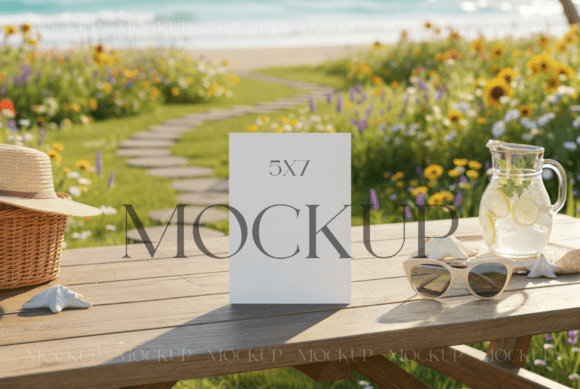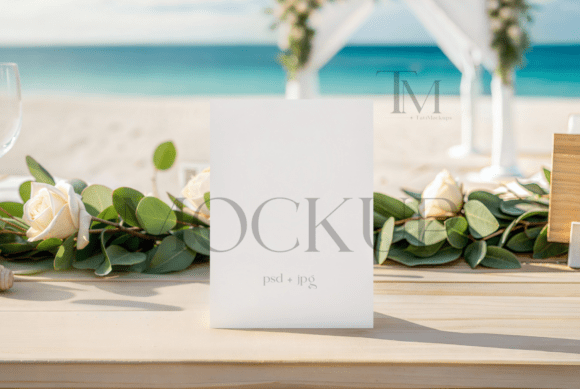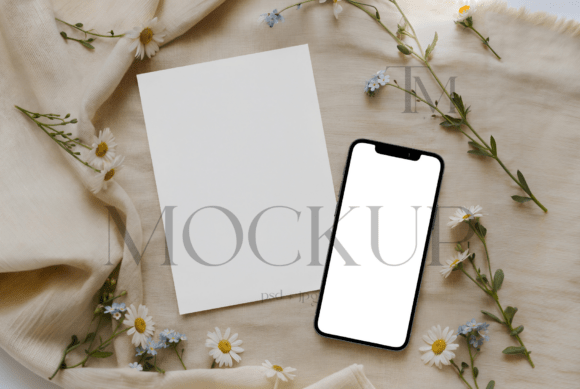
5x7 Card and iPhone Mockup: A Practical Guide for Spring and Summer Stationery
Visualizing a design concept is often the hardest part of the creative process. You have spent hours perfecting the typography, selecting the right color palette, and arranging the layout for your latest stationery suite. But when you present it to a client or post it on social media, a flat digital file rarely captures the emotion or texture of the final product. This is where a high-quality 5x7 Card and iPhone Mockup becomes an indispensable tool in your workflow. It bridges the gap between a static digital draft and a tangible, lived-in experience.
For creators, entrepreneurs, and marketers, the ability to showcase work realistically can significantly impact engagement and sales. Whether you are designing wedding invitations, promotional flyers, or digital wallpapers, presenting them in a cohesive, aesthetically pleasing environment helps your audience imagine owning or using them. The combination of a vertical 5x7 card and a smartphone screen offers a modern duality: it represents both the traditional tactile appeal of print and the immediate accessibility of digital content.
Why Combine Print and Digital in One Presentation?
In today’s hybrid world, most events and brands exist across multiple touchpoints. A wedding invitation might be mailed physically, but the details are also shared via a wedding website or a text message reminder. A small business might hand out physical loyalty cards while simultaneously running an Instagram campaign. By using a mockup that features both a professional card and a smartphone, you tell a more complete story.
This specific mockup set, adorned with a touch of delicate wildflowers, is tailored for spring and summer themes. The floral elements are not just decorative; they set a mood. They suggest freshness, growth, and elegance. When you place your design within this context, you are not just showing a card; you are selling a feeling. This is particularly effective for industries like event planning, boutique retail, wellness coaching, and artisanal crafts, where atmosphere is as important as the product itself.
Real-World Use Cases for Creators and Business Owners
Understanding where and when to use this tool can transform how you market your services. Here are several realistic scenarios where this mockup adds value:
- Wedding and Event Stationers: If you design save-the-dates or invitation suites, clients often struggle to visualize how the paper stock and design will look in real life. Using the 5x7 card slot allows you to display the front of the invitation, while the iPhone screen can show the matching digital RSVP page or a curated playlist for the event. This holistic view demonstrates attention to detail.
- Social Media Managers and Influencers: Content creators need consistent, high-quality visuals for their feeds. A flat screenshot of a digital guide or ebook looks amateurish compared to one displayed on a phone screen surrounded by thematic props. The wildflower aesthetic fits perfectly with lifestyle, beauty, and wellness niches, helping posts stand out in crowded feeds without requiring a professional photoshoot.
- Small Business Owners: Consider a florist or a bakery launching a seasonal promotion. They can use the 5x7 card space to showcase a printed menu or a gift voucher design, while the phone displays their online ordering link or a behind-the-scenes video. This reinforces brand consistency across physical and digital channels.
- Educators and Coaches: Those who sell digital products, such as printable planners or study guides, can use the card mockup to show the printable version and the phone to show the interactive digital companion app or video tutorial. It clarifies the value proposition of bundled products.
Technical Simplicity Meets Professional Results
One of the biggest barriers to using mockups is the perceived technical difficulty. Many creators worry that they need advanced Photoshop skills to achieve a polished look. However, this Professional card and smartphone mockup set is designed for efficiency. It utilizes Smart Object layers, which are essentially dynamic containers for your artwork.
The process is straightforward and accessible even for beginners. You do not need to worry about perspective distortion, lighting adjustments, or shadow mapping. The mockup handles these complex visual elements automatically. Here is how the workflow typically unfolds:
- Launch Photoshop (or Photopea, a free browser-based alternative) and open the PSD file.
- Locate the Smart Object layer for the 5x7 card. Double-click the thumbnail to open it in a new tab.
- Drag and drop your design file into this window. Adjust the size to fit the canvas, ensuring your critical elements are within the safe zones.
- Save the Smart Object. Return to the main document, and you will see your design instantly applied to the card with realistic lighting and shadows.
- Repeat the process for the iPhone screen Smart Object.
This non-destructive editing method means you can swap designs in seconds. If a client requests a color change or a different layout, you simply update the Smart Object and save. This speed is crucial for freelancers managing tight deadlines or multiple client revisions.
What to Consider Before Downloading
While mockups are powerful, choosing the right one requires some forethought. Not every mockup suits every brand. Here are key factors to evaluate before purchasing or downloading a 5x7 Card and iPhone Mockup:
Aesthetic Alignment: The wildflower theme is beautiful, but it is specific. It works exceptionally well for organic, romantic, or rustic brands. If your brand identity is ultra-modern, industrial, or corporate, this particular style might clash. Always ensure the props and background complement rather than compete with your design.
Resolution and Quality: High-resolution files are non-negotiable. If you plan to use the mockup for large-format prints or high-density displays, ensure the PSD is at least 300 DPI. Blurry mockups can undermine the perceived quality of your actual design work. The inclusion of a high-res JPG file in this package is a bonus for quick previews or web-only use, but the PSD remains the core asset for customization.
Licensing and Usage Rights: Always read the terms and conditions. Typically, mockup purchases grant you a license to use the final rendered images for personal or commercial projects, such as portfolio pieces, client presentations, or social media posts. However, reselling the mockup file itself or distributing the PSD is strictly prohibited. Understanding these boundaries protects you from legal issues and respects the creator’s intellectual property.
Maximizing the Impact of Your Mockups
To get the most out of this tool, think beyond simple placement. Consider the narrative you are building. If you are showcasing a spring collection, ensure the colors in your design harmonize with the delicate wildflowers. Use the iPhone screen to add context—perhaps display a quote, a date, or a call-to-action that complements the text on the 5x7 card.
Additionally, remember that mockups are starting points, not final destinations. You are allowed to modify the image and apply filters to align with your brand’s visual language. Adjusting the brightness, contrast, or saturation can help integrate your design more seamlessly into the scene. Some creators even add subtle grain or texture overlays to match the paper quality they intend to print on, adding an extra layer of realism.
Ultimately, a 5x7 Card and iPhone Mockup is more than just a template; it is a communication tool. It helps you articulate your vision clearly, professionally, and attractively. By reducing the friction between idea and presentation, it allows you to focus on what matters most: creating meaningful designs that resonate with your audience. Whether you are a seasoned designer or a hobbyist looking to elevate your personal projects, integrating high-quality mockups into your workflow is a small step that yields significant returns in clarity and impact.